
ADXL.AI
AI-powered multichannel campaign platform
Project Snapshot
Role: Creative Director / Lead UX Designer
Focus: AI-Driven Campaign Creation, Workflow Optimization, Scalable Product Systems
Scope: Research Synthesis, Experience Architecture, Interaction Design, Design System Integration
Category: AI-Powered SaaS / Marketing Automation / Enterprise Productivity
Business Context
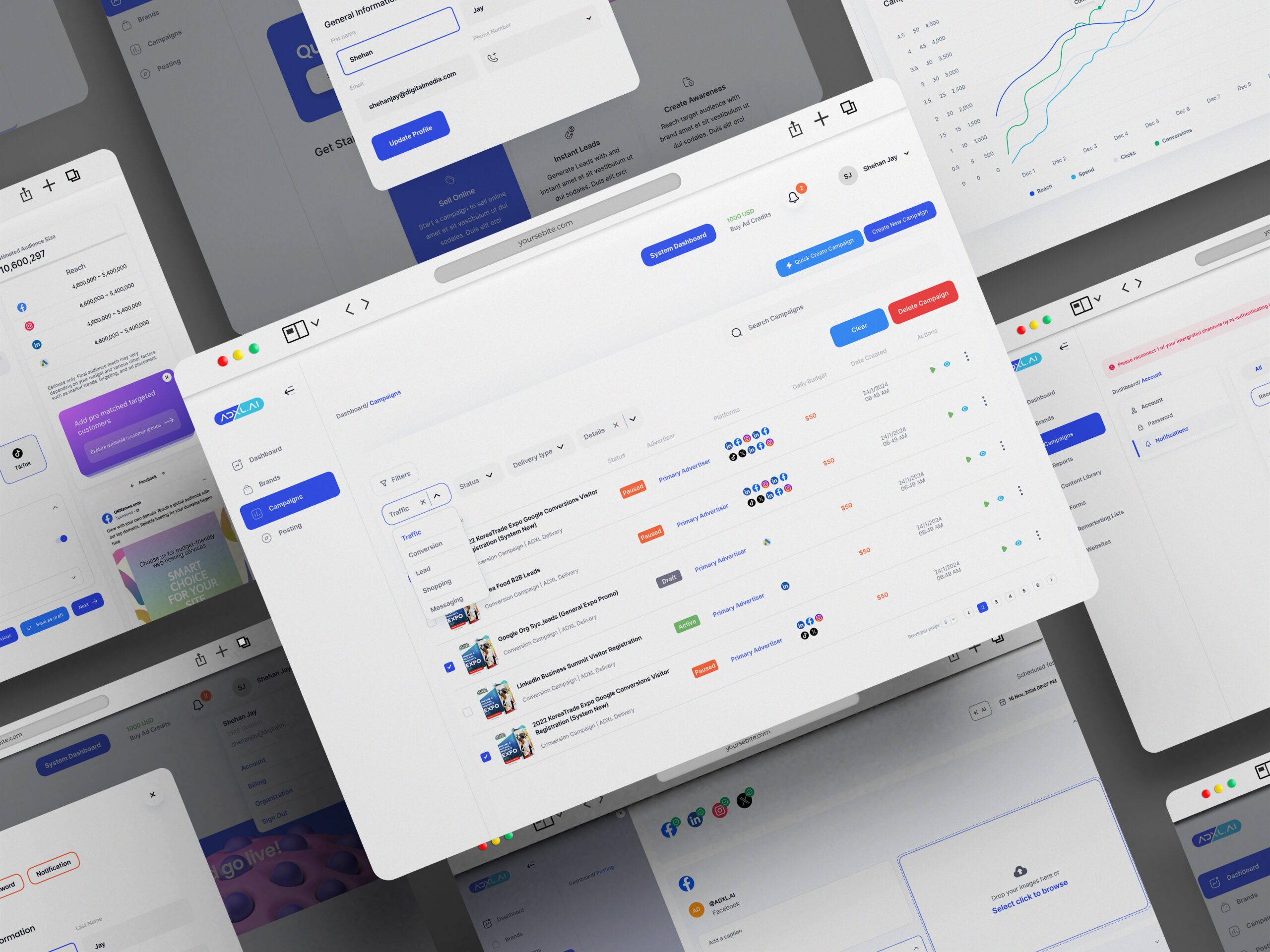
ADXL.AI is a multi-channel advertising platform designed to help businesses create, manage, and optimise campaigns across Google, Meta, LinkedIn, and other channels from a single dashboard.
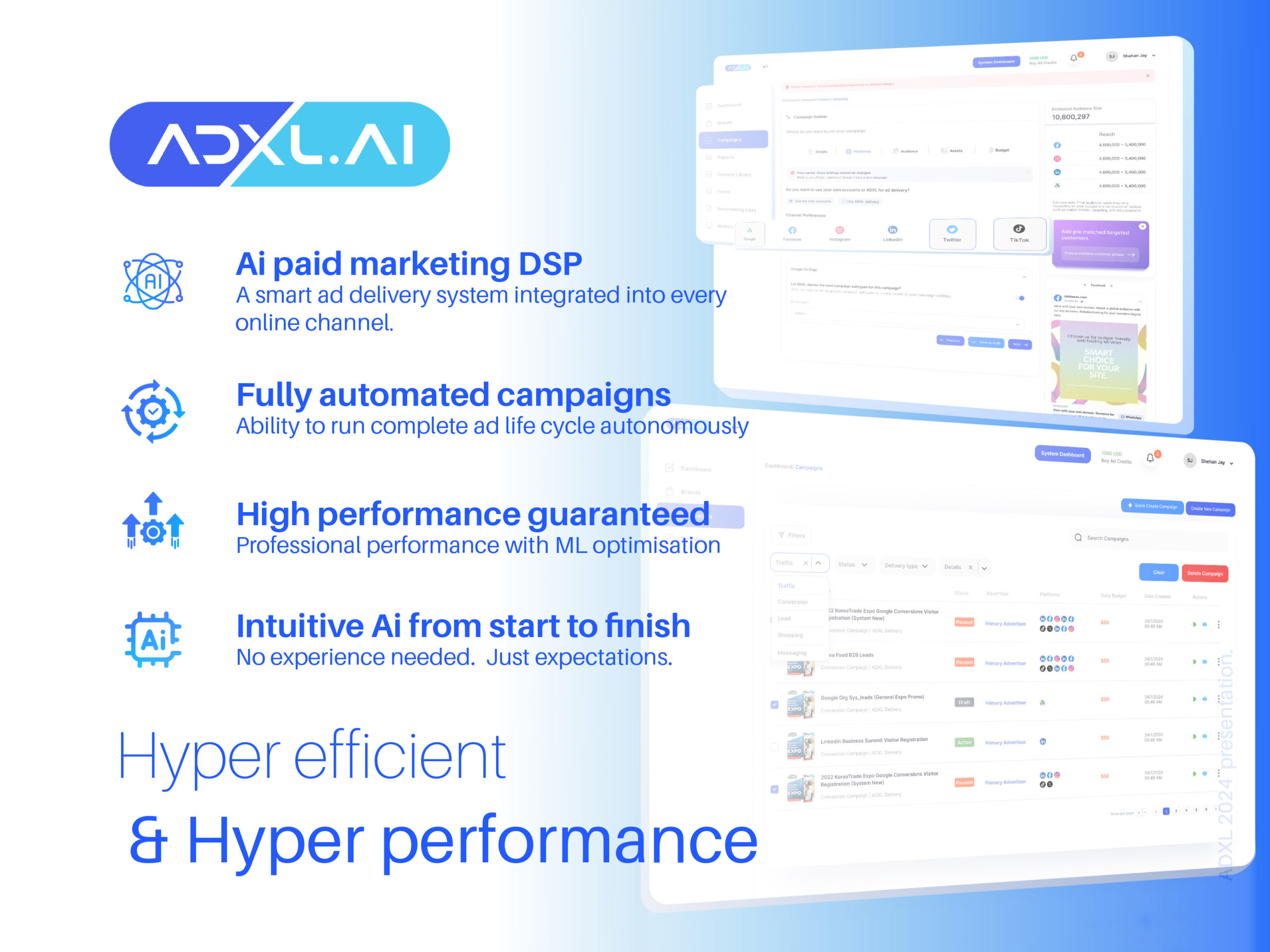
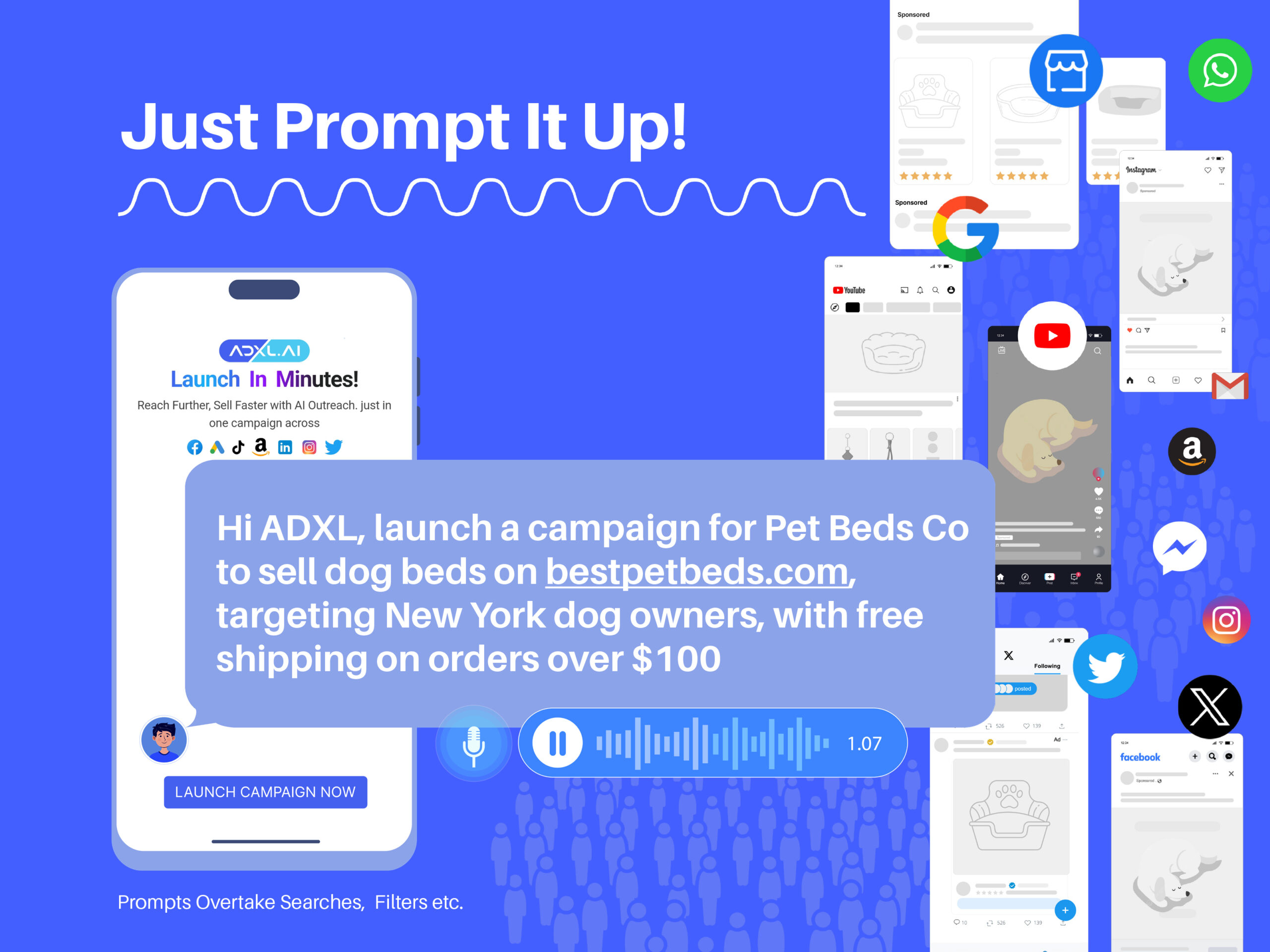
The product combines automation and AI-assisted campaign generation with manual controls, aiming to simplify digital advertising for SMEs and performance marketers.
At the time I joined the project, the campaign flow order had already been defined by the product team. However, the experience lacked:
- Clear step hierarchy
- Logical grouping of decisions
- Consistent interaction patterns
- Scalable dashboard information structure
The platform needed to evolve from a feature-heavy interface into a coherent product system.
Product Environment & System Context
ADXL operates as a cloud-based web application built on AWS infrastructure, including containerized services, scalable storage, analytics layers, and secure data handling.
While I did not design the underlying architecture, I worked closely with software engineers through regular collaboration sessions to translate system capabilities into clear, usable interfaces.
My UX decisions were shaped by this architecture — particularly around data visibility, campaign reporting, user permissions, and real-time performance feedback.
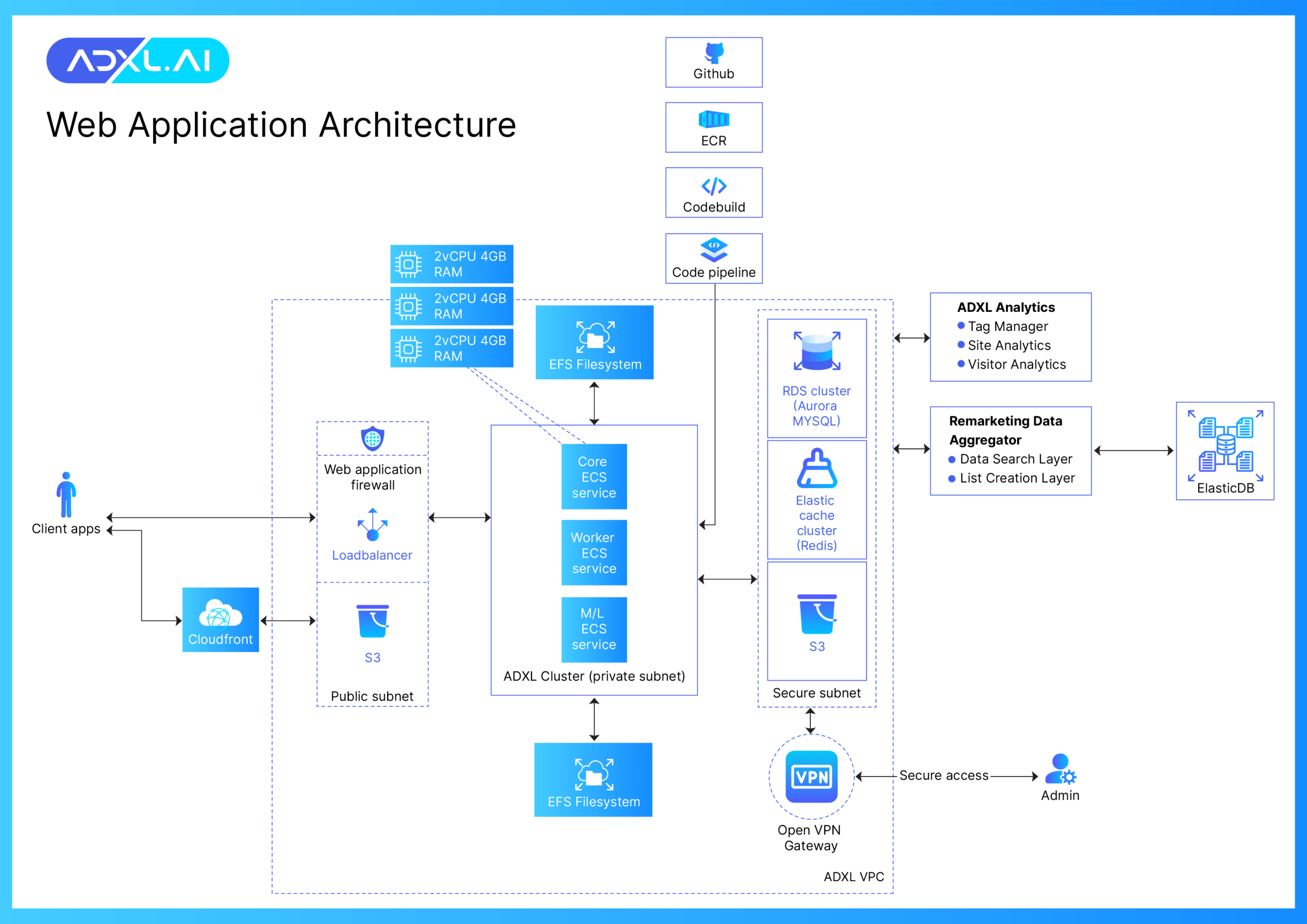
High-level system architecture (engineering-led). UX design aligned with this infrastructure.
UX Challenge
The core challenge was not designing individual screens.
It was bringing clarity to a complex, multi-step campaign builder that included:
- Campaign details
- Platform selection
- Audience targeting
- Asset creation
- Budget allocation
- AI recommendations
- Performance reporting
The existing structure made it difficult for users to:
- Understand what decisions were required
- See how steps connected to each other
- Move confidently through the workflow
- Manage campaigns post-launch
The challenge became:
How might we design a structured, scalable workflow that simplifies campaign creation without limiting advanced control?
My Role & Scope
Creative Director – UX & Interface Design
While my official title was Creative Director, my primary focus on ADXL was UX and interface design for the platform.
I contributed by:
- Designing intuitive user flows across campaign creation and management
- Structuring dashboard layouts with clear information hierarchy
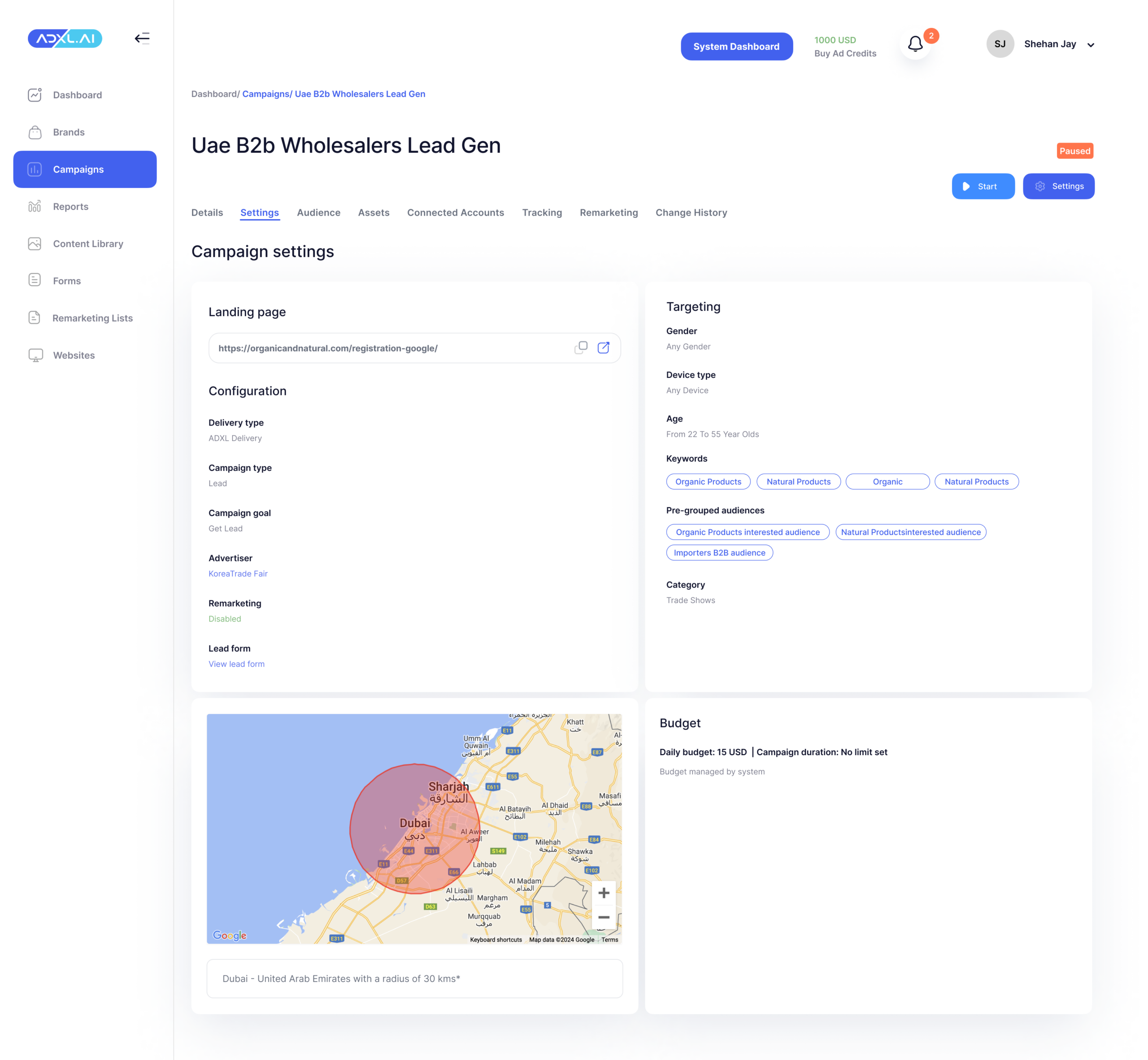
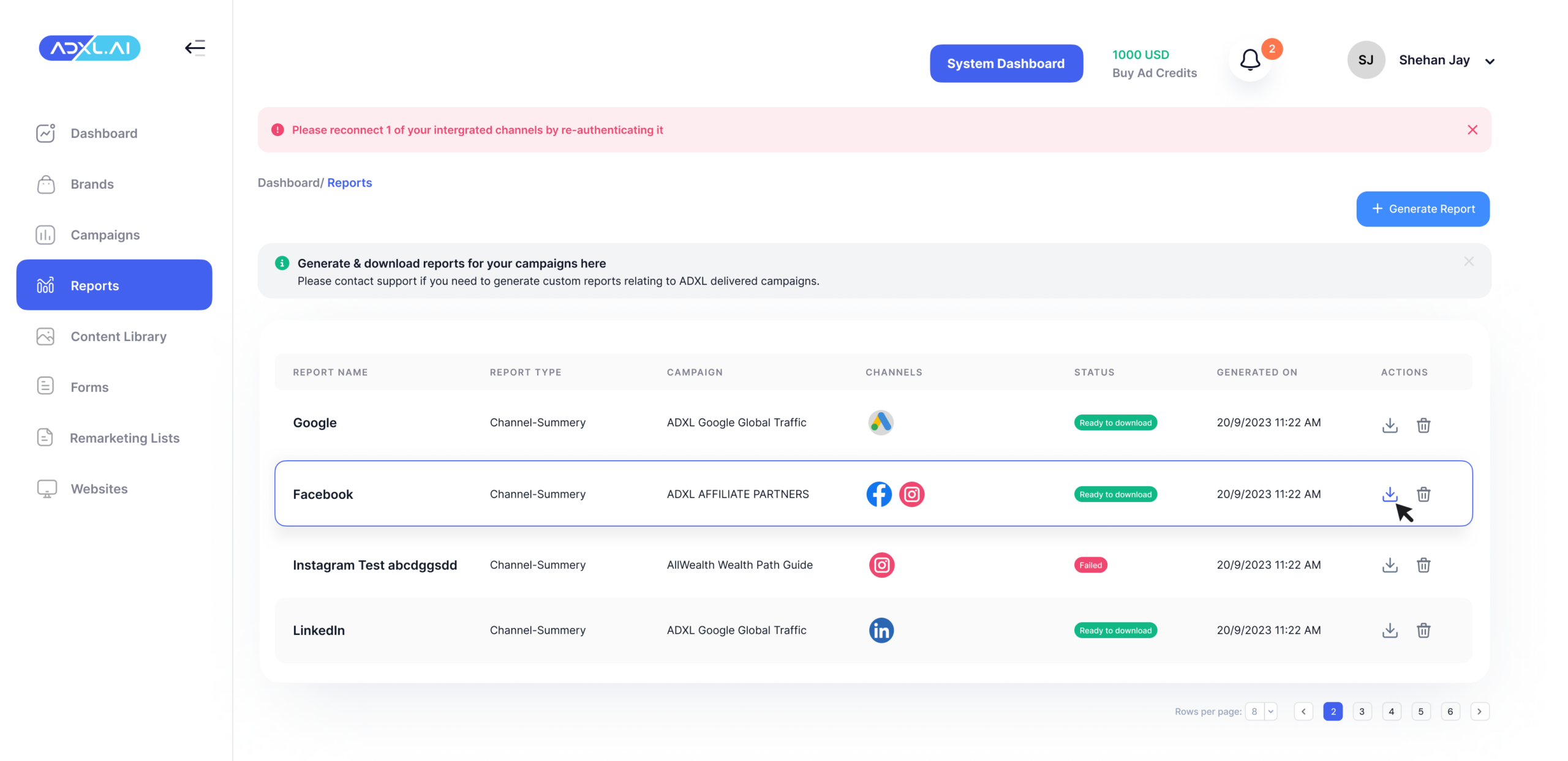
- Establishing consistent UI patterns across campaigns, reports, settings, and billing
- Designing scalable interface components to support product growth
- Supporting AI-assisted interactions while preserving user control
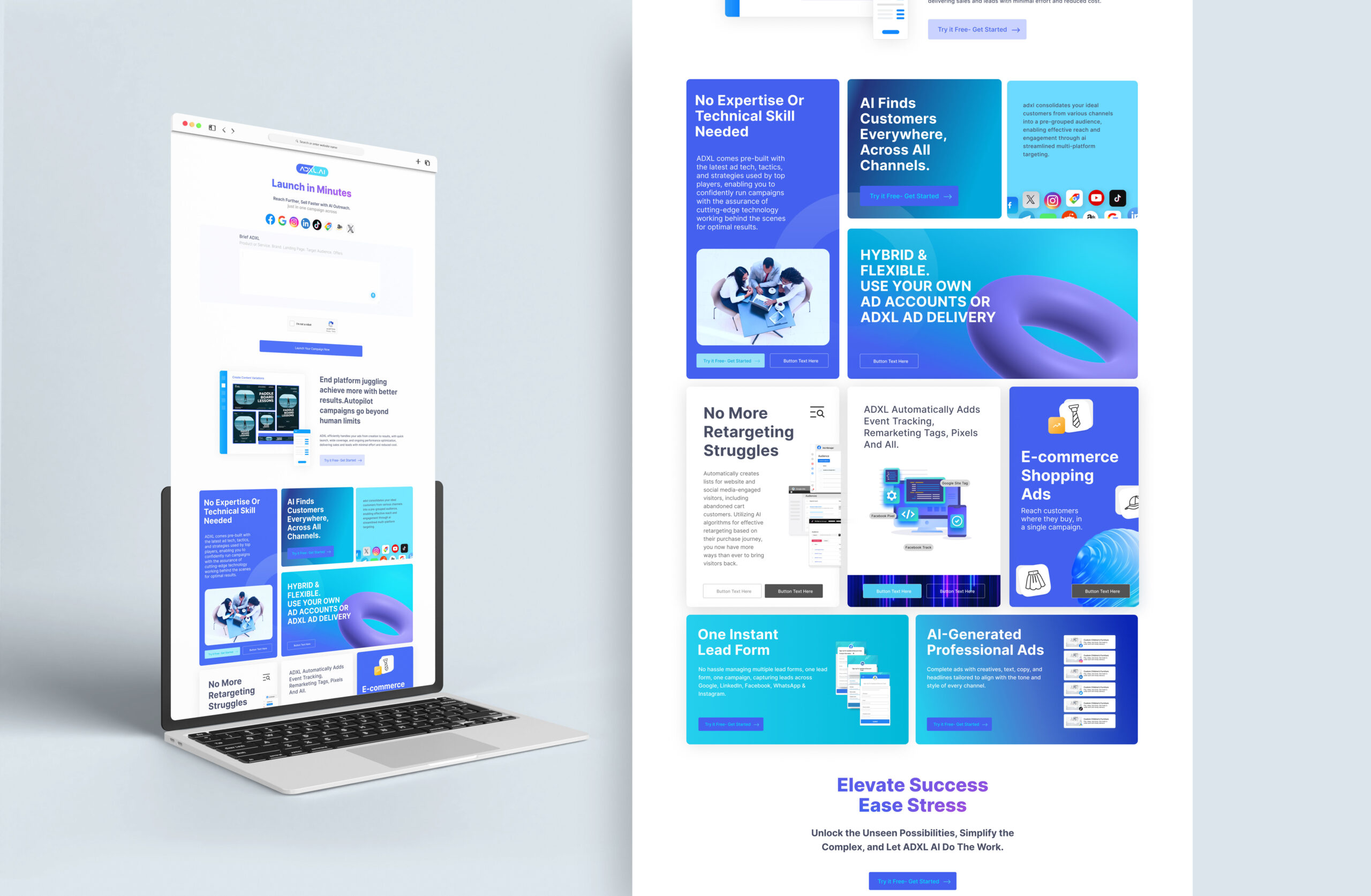
- Creating Lottie animations and visual assets to communicate product features across website and business materials
Workflow Design Decisions
Since the campaign order was pre-defined, my focus was on improving clarity and cognitive flow.
Step-Based Structure
1. Details
2. Platforms
3. Audience
4. Assets
5. Budget
This allowed users to:
- Understand where they were
- See what’s coming next
- Navigate back safely
- Save drafts confidently
Campaign Builder Workflow
A structured 5-step flow designed to reduce cognitive overload while guiding users through campaign creation.
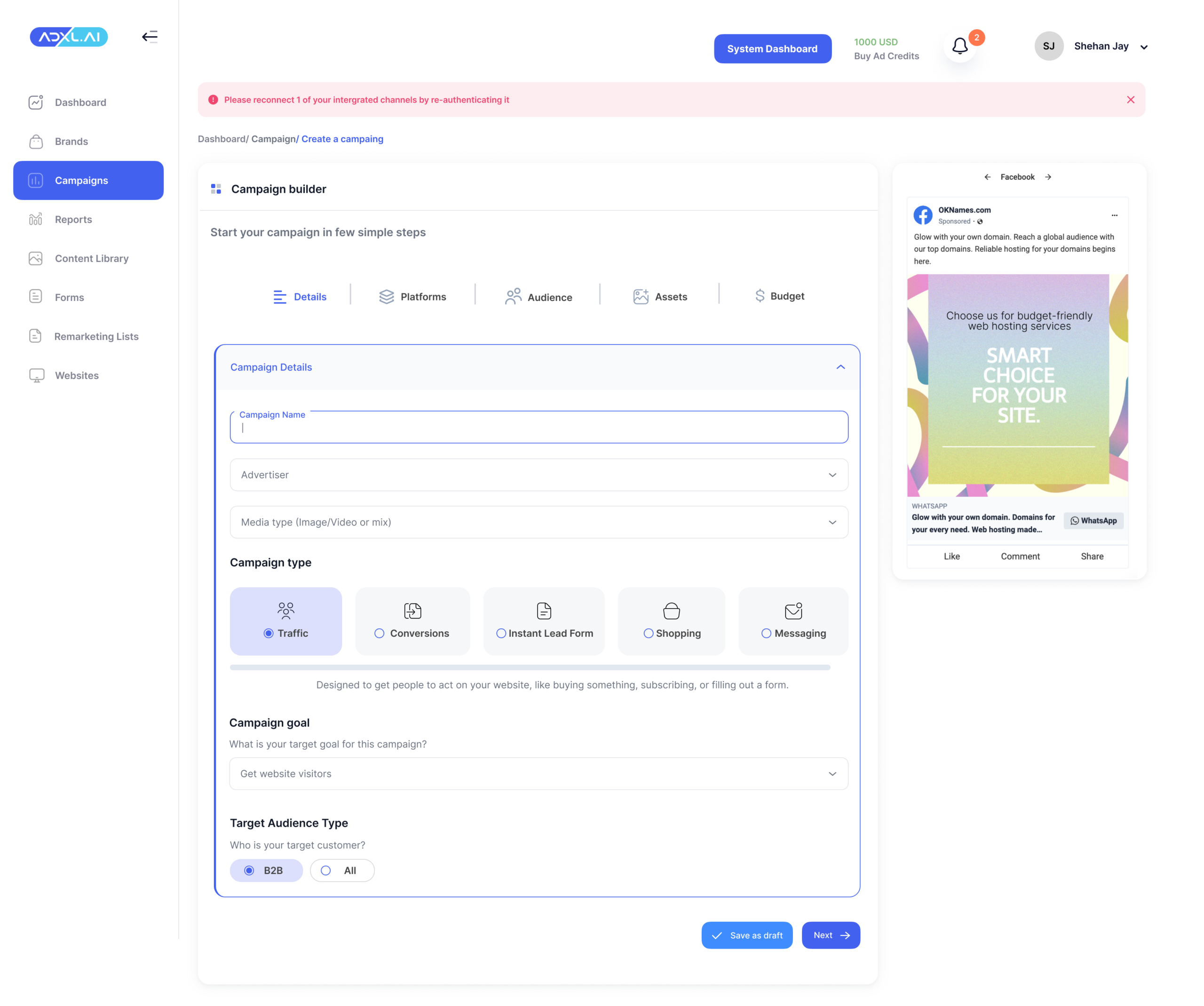
Details
Define the campaign foundation
This step establishes the strategic intent of the campaign. Users define the campaign objective, naming conventions, and core parameters before moving into tactical decisions.
The interface was designed to:
- Prioritize clarity over density
- Reduce early-stage overwhelm
- Encourage strategic alignment before execution
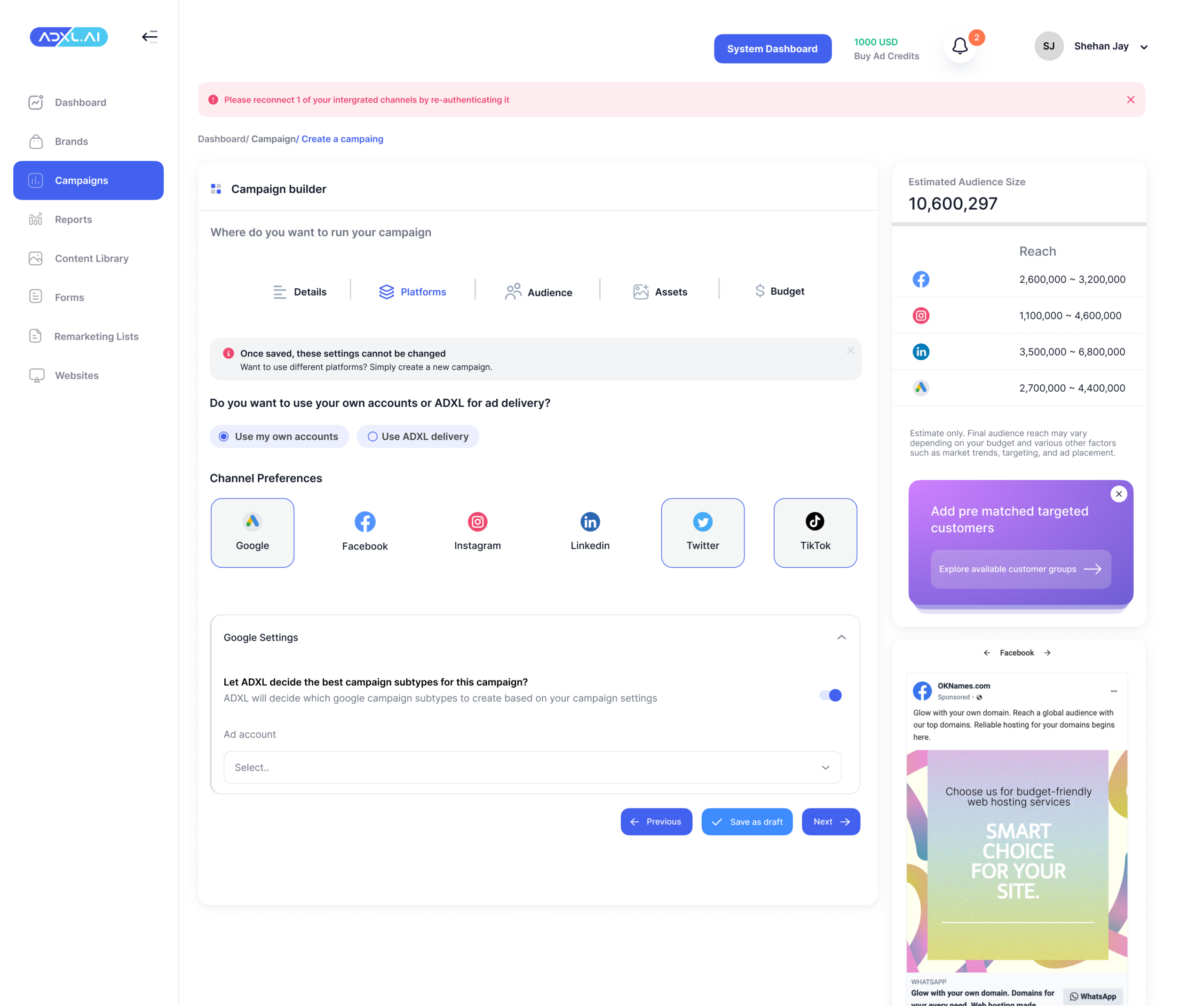
Platforms
Select distribution channels with contextual guidance
The UX challenge here was preventing platform confusion while allowing multi-channel flexibility.
Design considerations:
- Clear visual separation between platforms
- Context-aware inputs (fields adapt based on selection)
- Scalable layout for future integrations
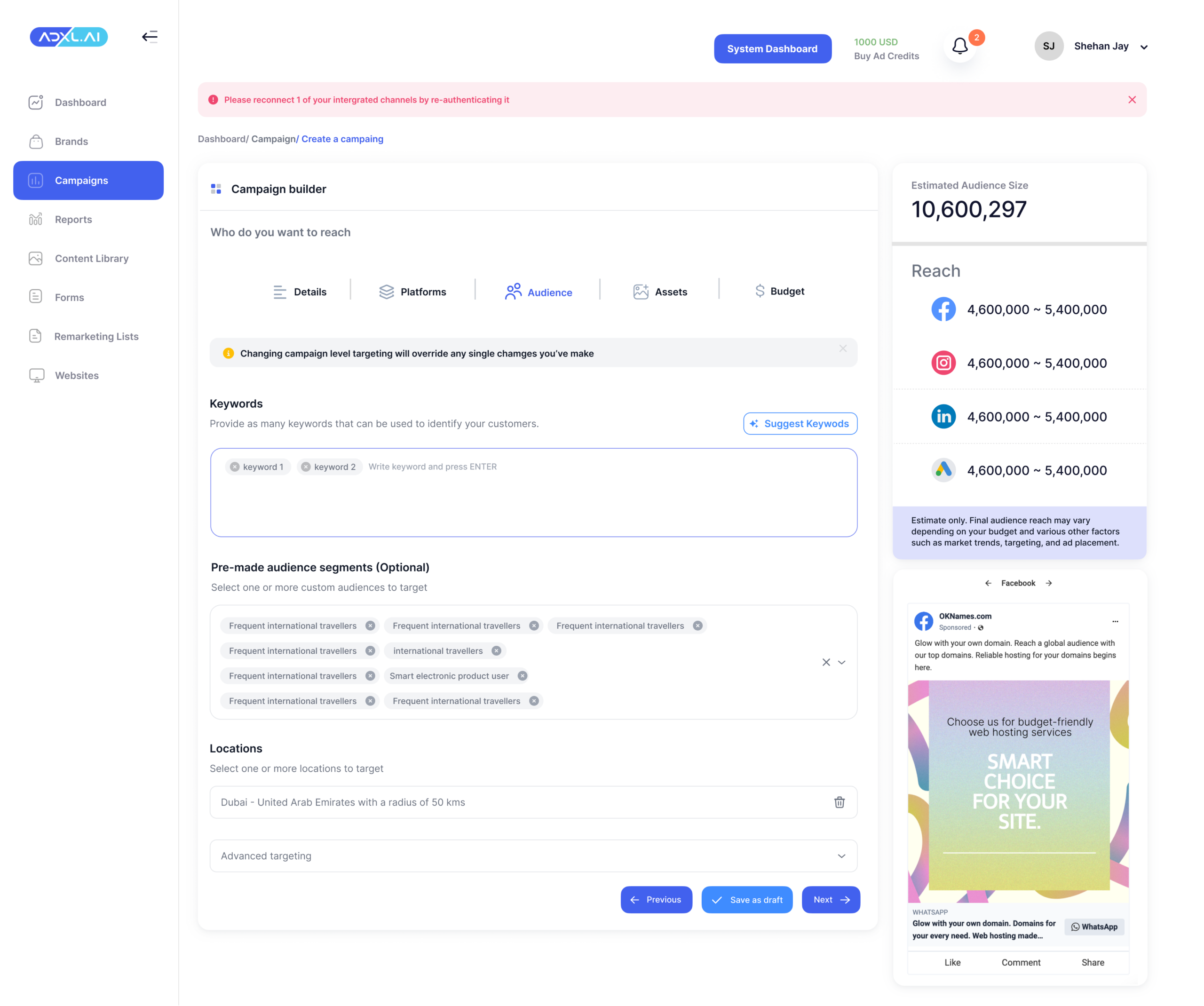
Audience
Define targeting with structured segmentation
This step supports audience definition through demographic, behavioural, and retargeting inputs.
The goal was to:
- Make complex targeting feel structured
- Avoid overwhelming users with advanced options
- Surface essential controls first
The hierarchy prioritizes:
1. Core targeting
2. Advanced refinement
3. Retargeting logic
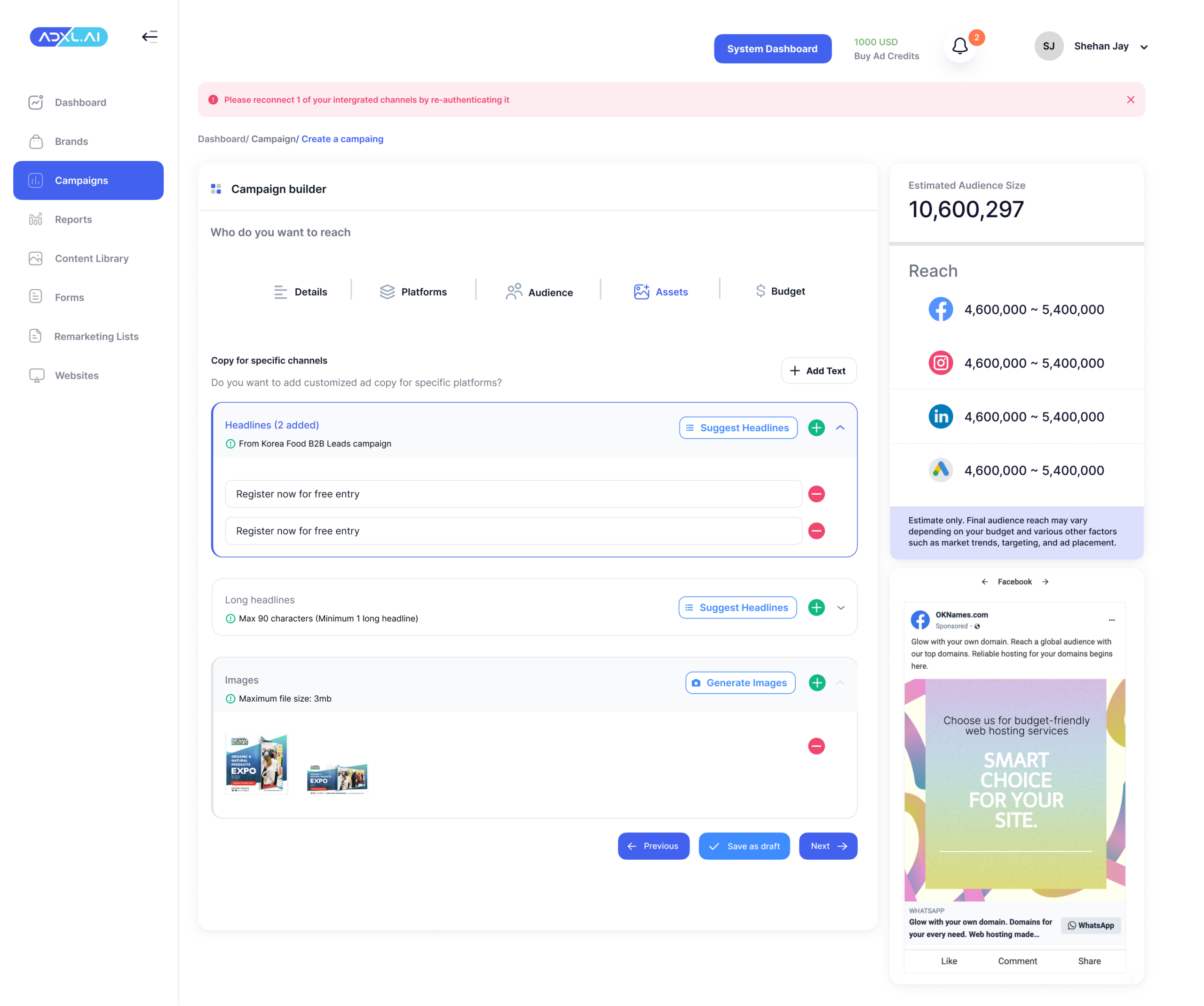
Assets
Integrate creative and AI-assisted content
This step bridges strategy with execution.
Users:
- Upload creative assets
- Receive AI-generated ad copy suggestions
- Review headline and description recommendations
Key UX decision:
AI suggestions are clearly marked and fully editable — reinforcing trust and control.
The layout supports:
- Side-by-side preview
- Content clarity
- Scalable creative formats
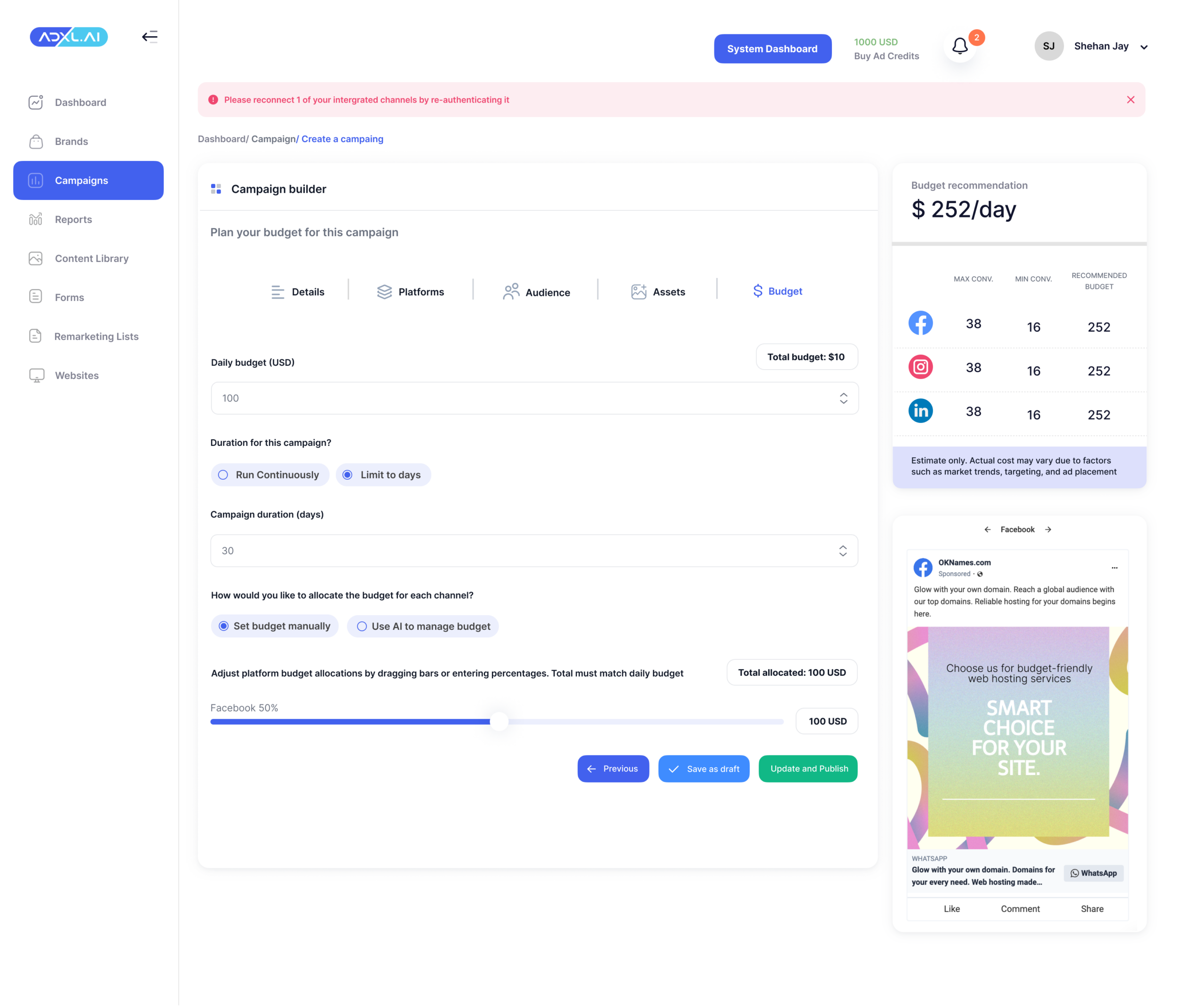
Budget
Allocate spend with guided recommendations
This final step helps users define budget and scheduling.
The UX focus was:
- Simplifying financial input
- Providing AI-assisted budget suggestions
- Maintaining full manual override
Budget allocation is visually structured to:
- Reduce numerical anxiety
- Clarify spend distribution
- Show impact before submission
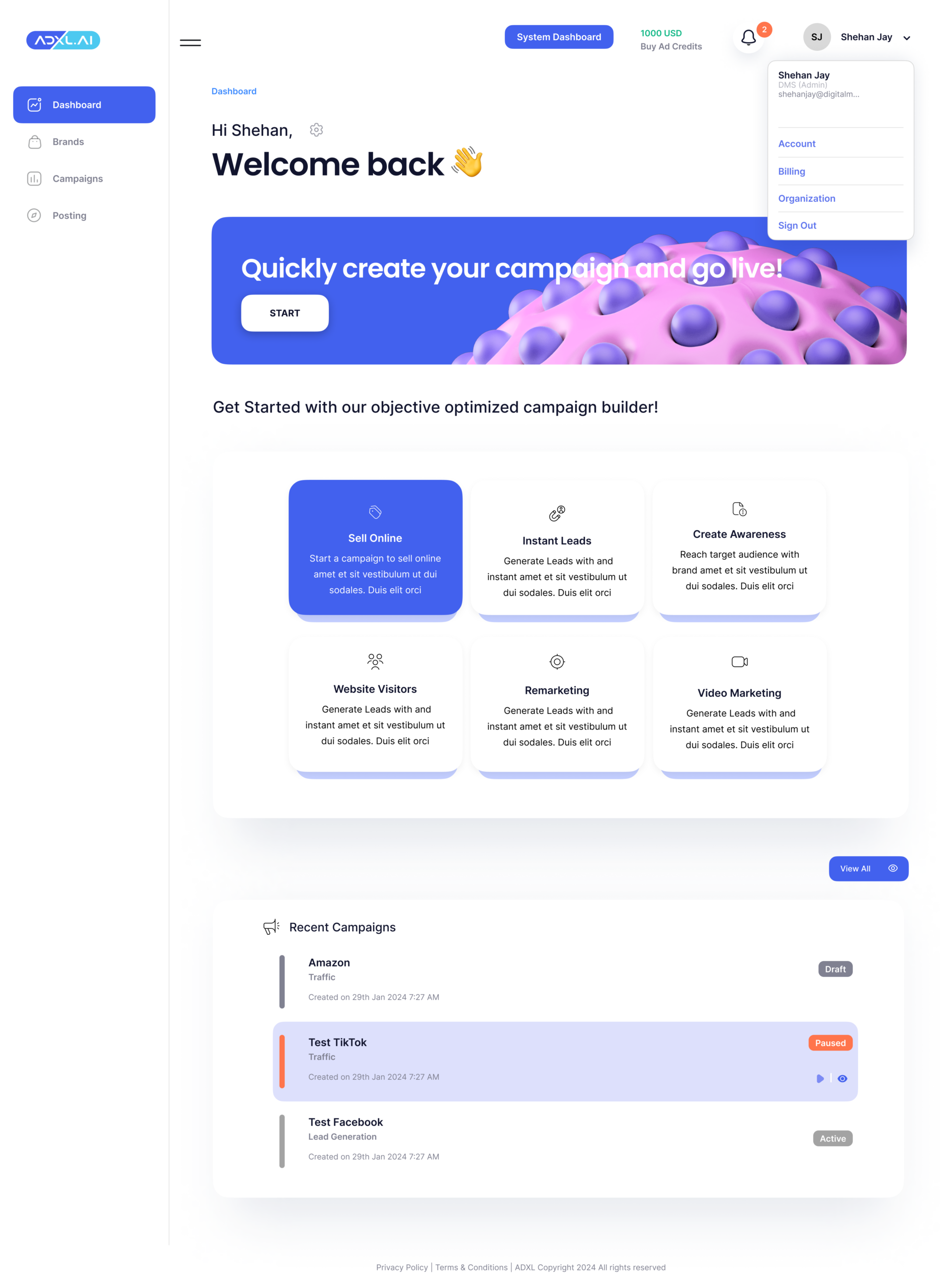
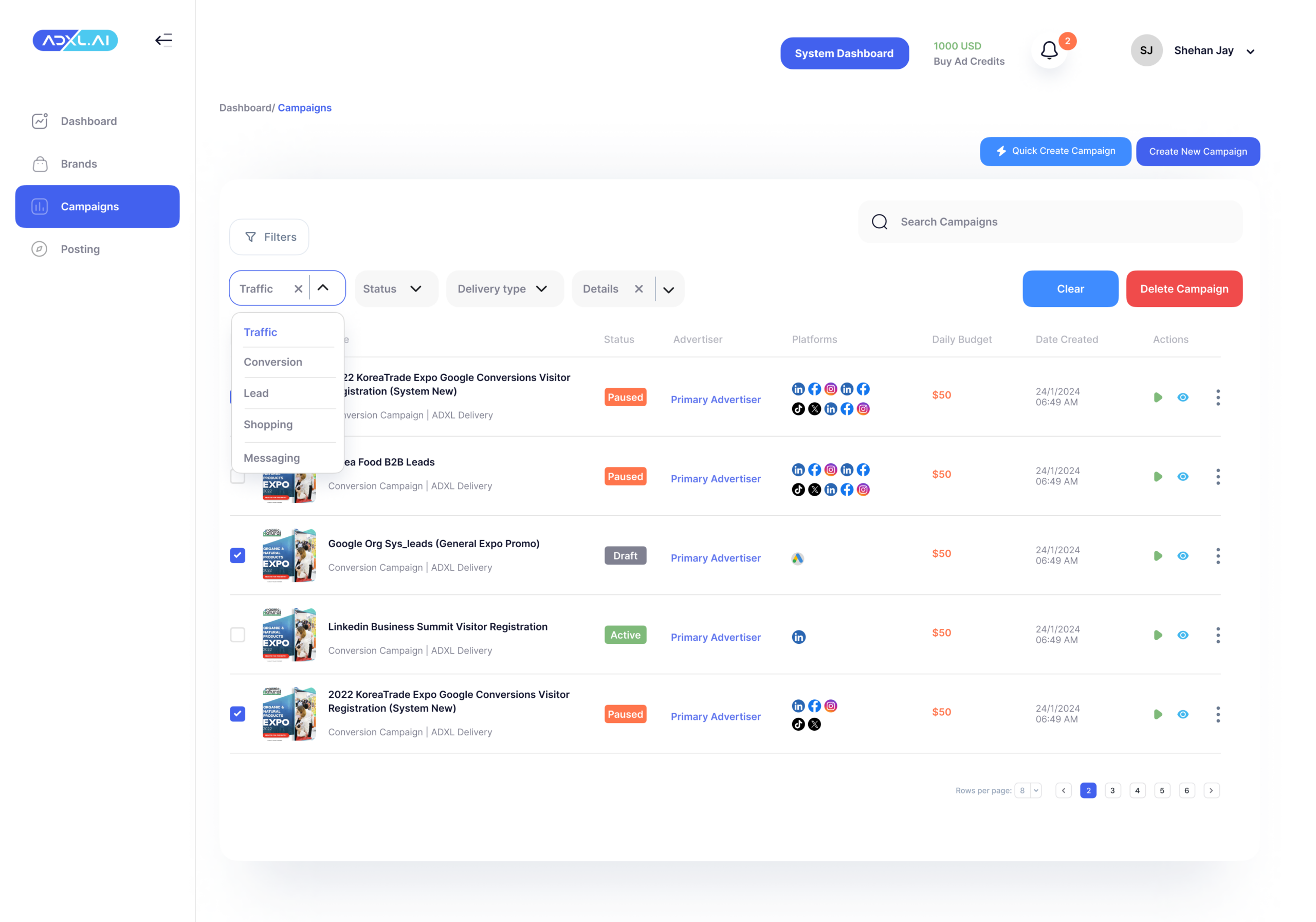
Campaign Detail View
From Overview to Actionable Insight
After launch, users need clarity — not just data.
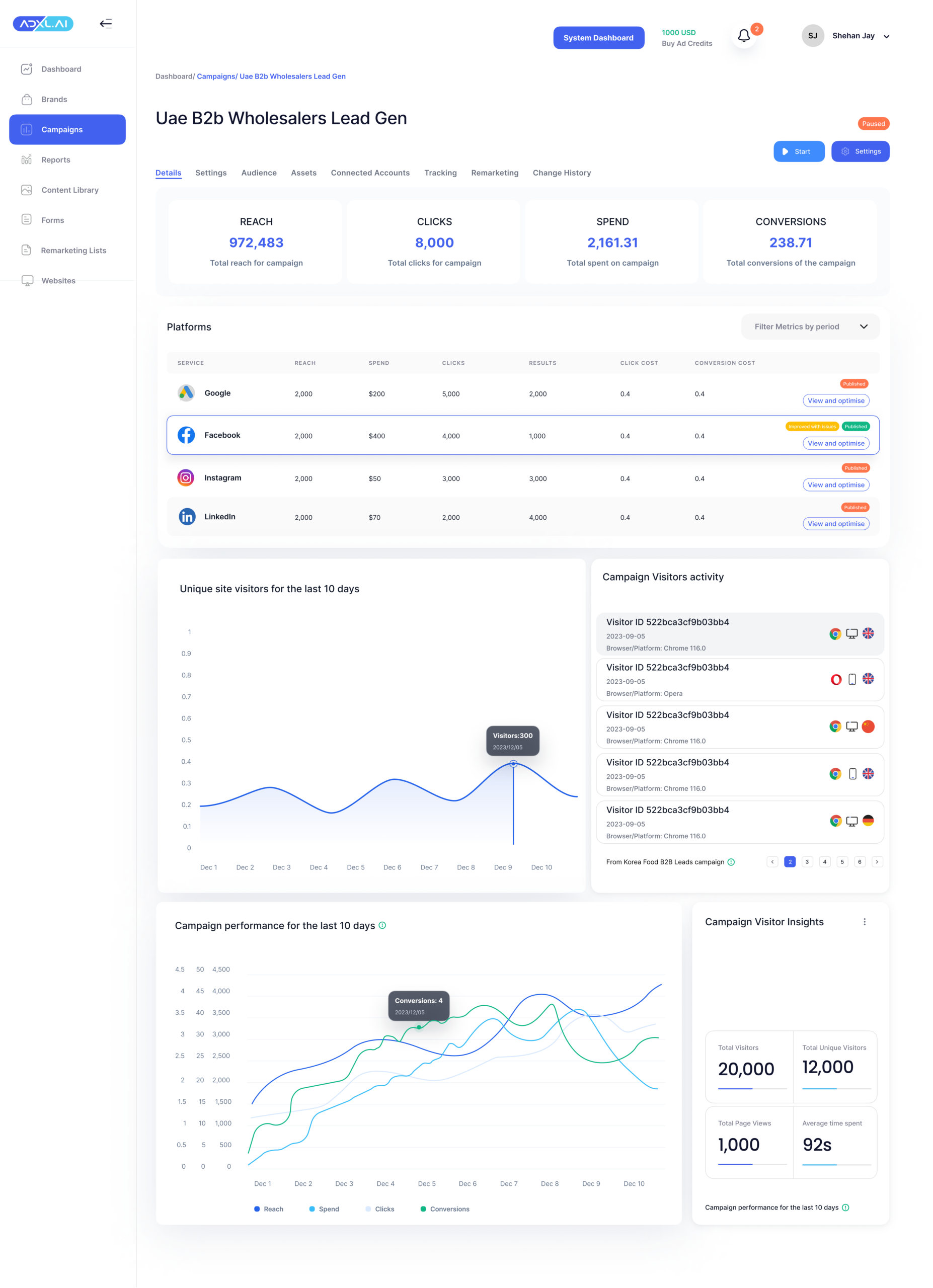
The campaign detail view was designed to surface performance metrics in a structured hierarchy, allowing advertisers to quickly assess health, channel contribution, and optimisation opportunities.
Key UX decisions:
- Top-level KPIs: Reach, Clicks, Spend, Conversions
- Platform-level breakdown (Google, Facebook, LinkedIn, etc.)
- Visual trend graphs for pattern recognition
- Quick access to “Start”, “Pause”, and “Settings”
Impact & Product Contribution
The redesigned campaign workflow introduced structured decision stages that improved clarity and reduced setup complexity. Dashboard hierarchy made performance insights easier to scan, supporting faster optimisation decisions.
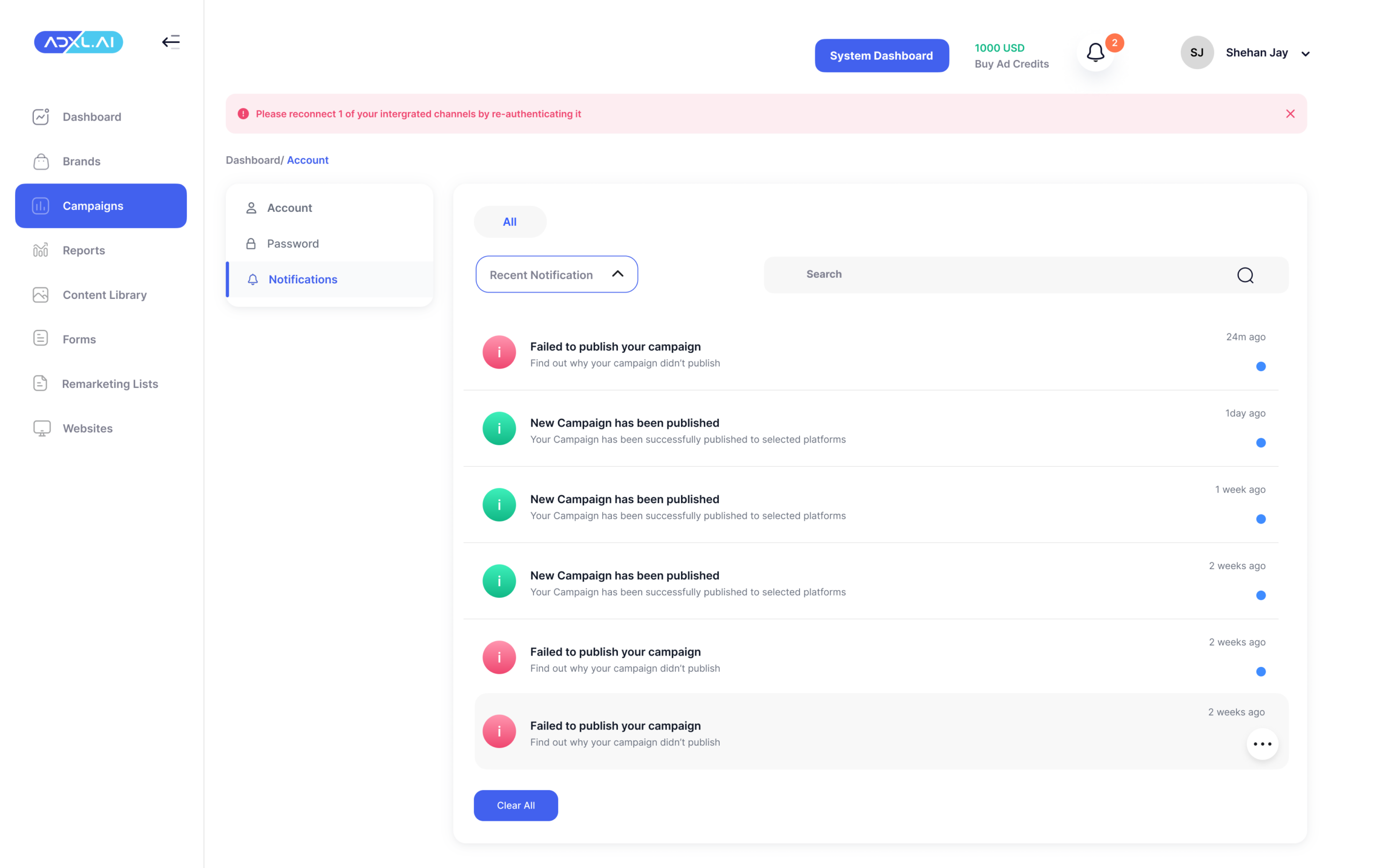
The scalable UI system allowed new modules (Reports, Notifications, Account Settings) to maintain visual and structural consistency as the product expanded.
AI recommendations were designed to support — not override — user decision-making, reinforcing trust and usability within a performance-driven environment.
Reflection
This project strengthened my ability to:
- Translate complex technical systems into clear user-facing interfaces
- Design within engineering constraints without compromising usability
- Balance automation with human control in AI-supported workflows
- Create scalable UI foundations for evolving SaaS products
If I were to iterate further, I would explore:
- Deeper behavioural analytics integration
- More contextual AI explanations
- Advanced reporting visualisations for power users